Generating Simplified Flowchart
A Faster and Easier Process to Save Time and Improve Collaboration Quality
Sponsor
Personal Contribution
User Interview Question Design
Hosted 8 User Interviews
Idea Generation and Refinement
Design Documentation
We Made Rebuilding Flowcharts Faster and Easier
Saving Time While Creating an Ideal Collaboration Experience
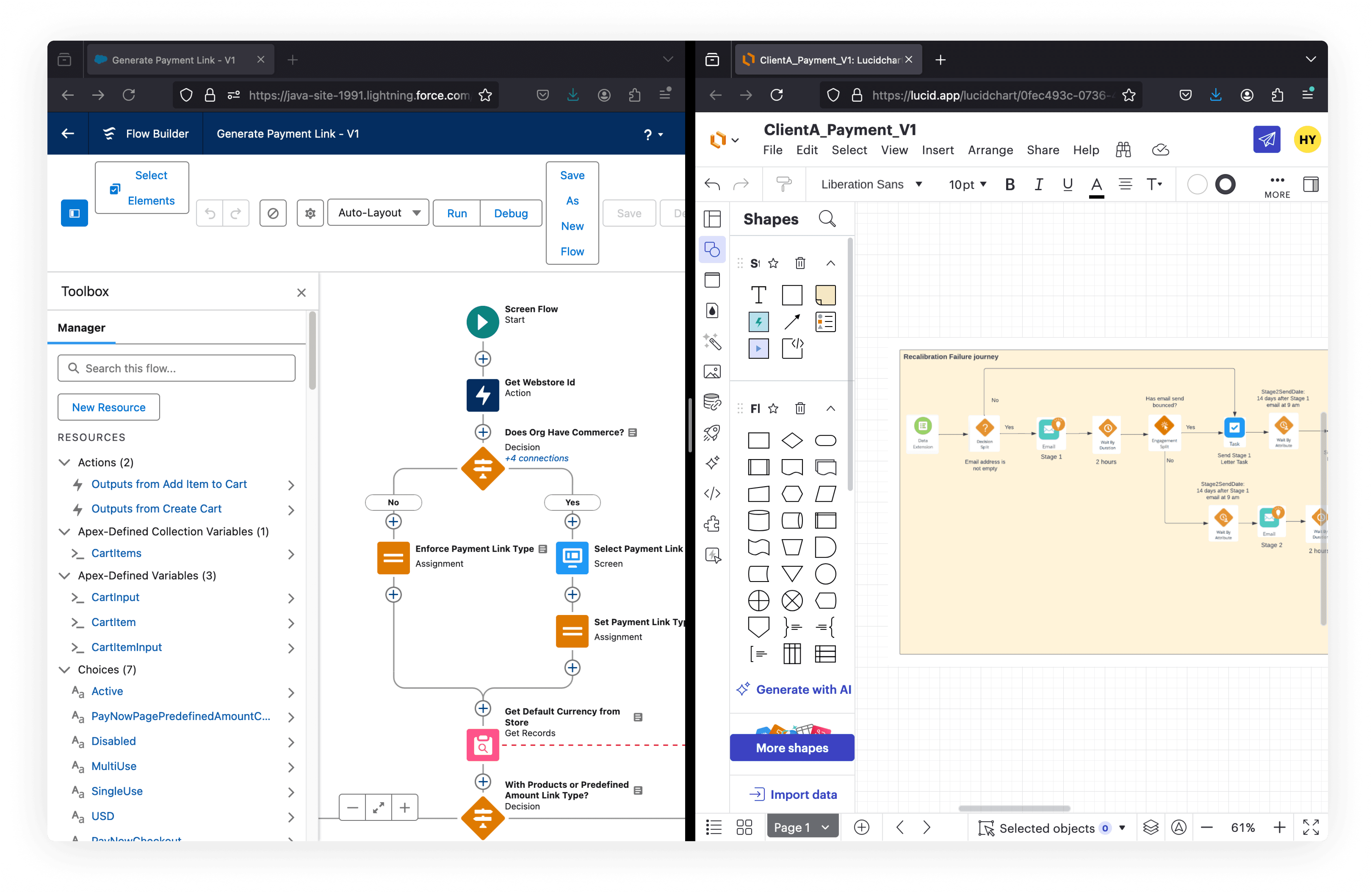
Current Scenario
Collaboration Takes Place Outside of Salesforce Platform
Users need to spend hours rebuilding simple version flowcharts and getting feedback from clients through external visualization tools.
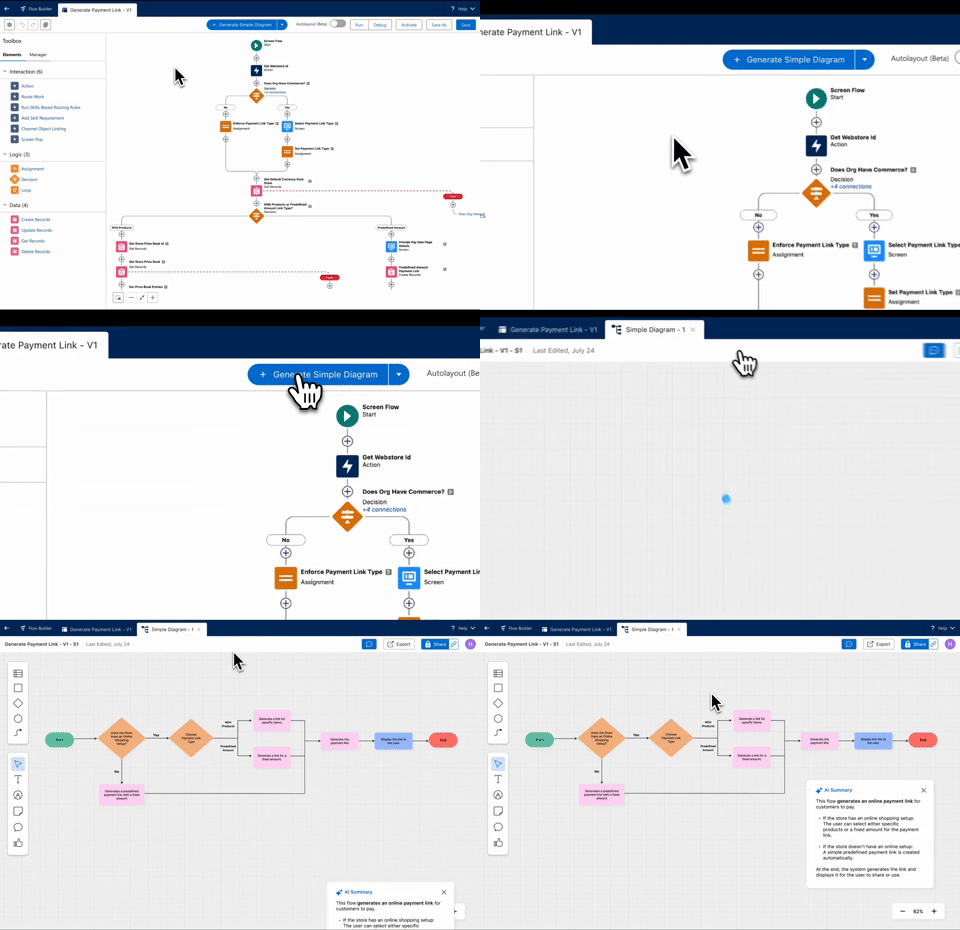
In the Future
Users can Build Simplified Version Flowchart by One Click
The generated simple flowchart is created with AI summary and it is based on users' current built automation flow. Users can edit the flowchart to personalize it and invite or share it with clients for feedback.
See How We Made it
Ideas Generated from 9 User Interviews
Skip to Solution Section
or keep scrolling to see the research process
User Feedback
Unlock Automation
Streamline Repetitive Work
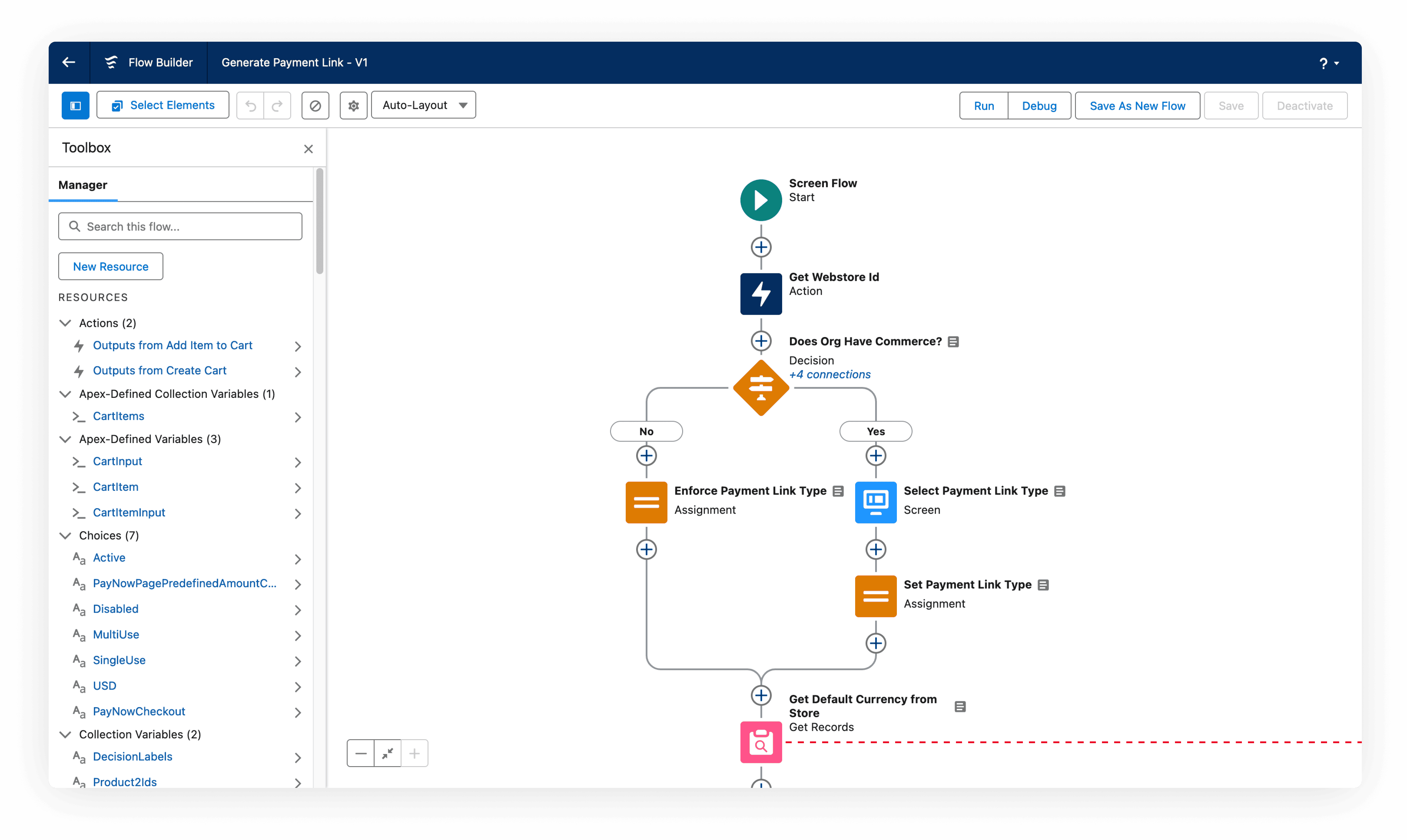
Current Flow Builder user interface
What is Automation?
Automation — What makes repetitive work easier and faster
Automation is a way to streamline tasks that are often repetitive. Automation can help with very simple task such as sending notification every Friday morning, and also complex task that involve data input and output.
Where building happens — Flow Builder

Flow Builder is an automation workflow building tool powered by Salesforce. Flow Builder create a no-code/low-code environment where users can easily create automation workflow by connecting blocks with different functionalities.
Who is Using It?
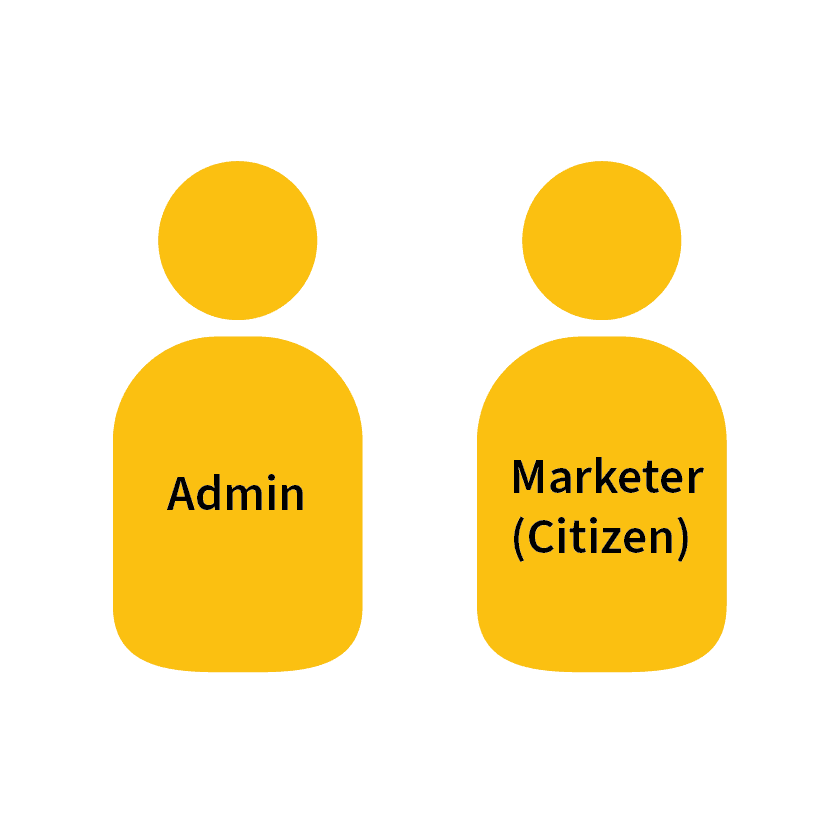
Admin
Users who build flows for more diverse use cases—such as onboarding processes, marketing campaigns, customer service, sales, and pipeline management, among others.
Marketer
Build automation flow specifically for marketing campaigns.
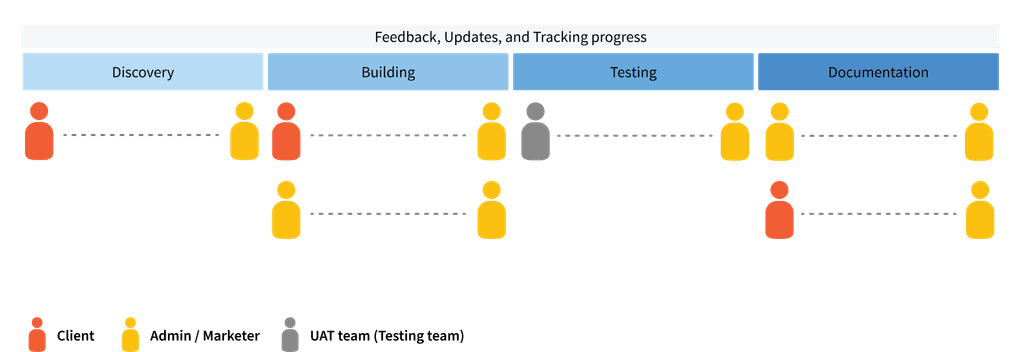
Collaboration Patterns in Automation Projects
Uncovered 4 Phases in Automation Projects
Understanding the structure of automation project provides direction for designing user interview questions specifically facing each phases, and explore details that are not uncovered from the desk research.
Different Interview Question Sets
To Find the Different and Shared Challenges
The purpose is to broadly explore the common challenges that both user groups are facing. After further validations from interviews, we can either narrow down to one specific focus area or develop solutions that cover the needs from two user groups.
Snowball Method — Hypothesize, Test, and Refine
We did third rounds of interviews throughout the project. Each set of interview questions was refined and adjusted based on the analysis of previous interviews, allowing us to continuously test and validate our hypotheses.
Do We Need Two Personas?
To Simplify Research Process
No. Admins and Marketers share identical collaboration patterns based on the user interview result from two different question sets. Thus, we decided for the following research and design process, we merged two personas into one persona as "admin users".
For the following sections, "admin" will be used as the generic term that indicates our target user group.
Focus Area — Visualization Tools
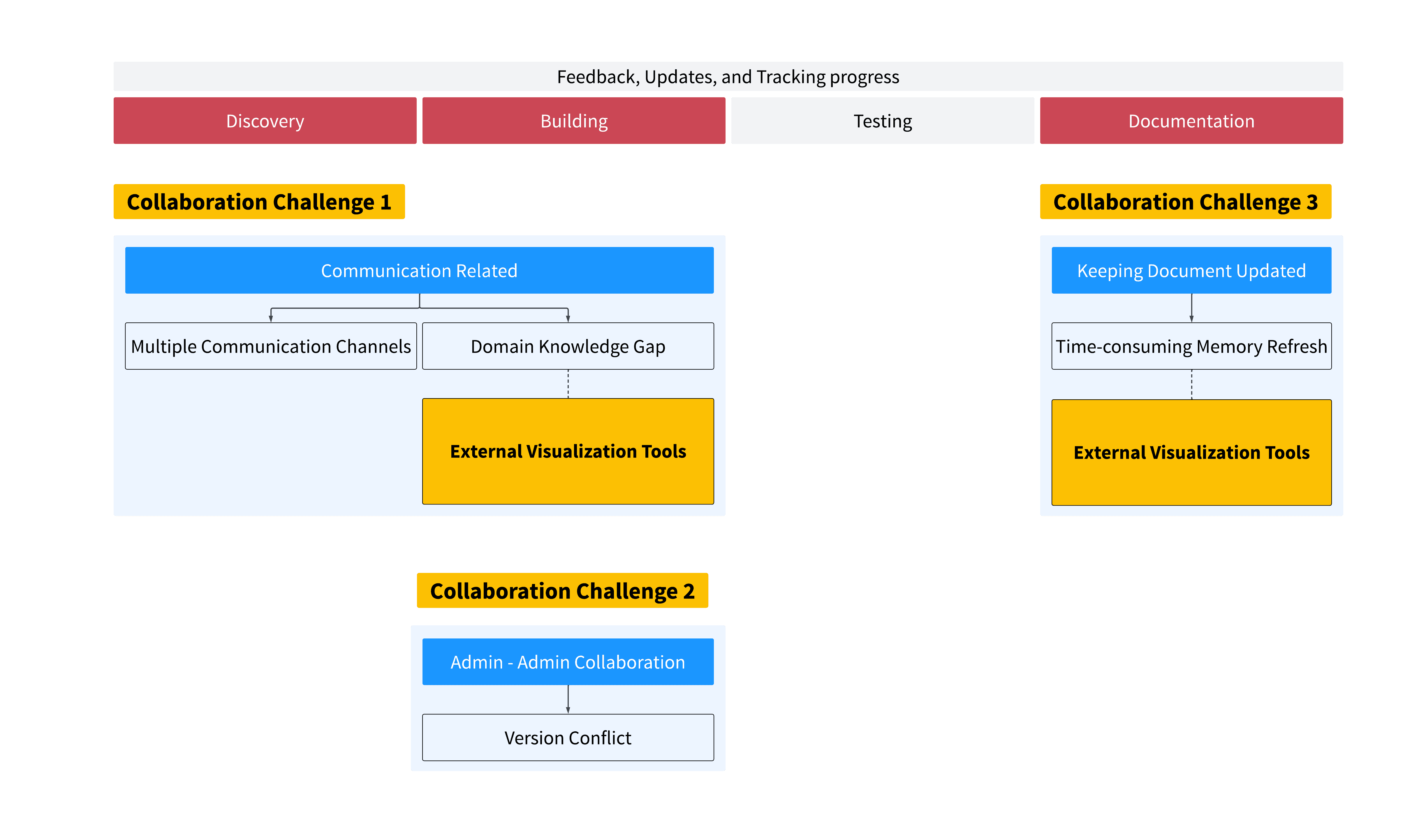
Collaboration challenges distributed to each phases
Visualization Tools
Define the Minimum Scope that Makes the Most of Value to Salesforce
Although we uncovered multiple challenges, considering the limited time, business value, and feedback from the product managers in Salesforce side, we decided to go down this way. Here is why:
Cover Multiple Phases' Needs

Visualization tools is essential for clear communication, especially in the 3 phases shown above. Admins visualize the complex automation flow into a simpler flowchart for their clients to understand how the automation flow works as the project goes.
Expanded from Salesforce Native System

Admins currently use external visualization tools that leads to the fact that the most important collaboration process happens outside of Salesforce platform, and we saw this as an opportunity to bring the collaboration experience back to Salesforce platform.
Simplified Version Flowcharts
As a Communication Tool and Documentation Reference
Lower the complexity of automation flows
Admins largely use external visualization tools like Lucidchart, Miro, Excel, or PowerPoint to create simplified versions of automation flows to lower the complexity of automation flow for clients to understand the process and structure of the automation flow.
Refresh memory after a long feedback loop
Besides using simplified flowcharts as communication tools, they are often used as the documentation materials for admins to refresh memory while update are needed and for admins to hand off the project to the next admin.
See more details about other collaboration challenges we found
Hidden Problems
While Creating Simplified Version Flowcharts
Simplified version flowcharts certainly improves the communication with clients and bridge knowledge gaps. However, the process of making it takes long time and effort due to several reasons.
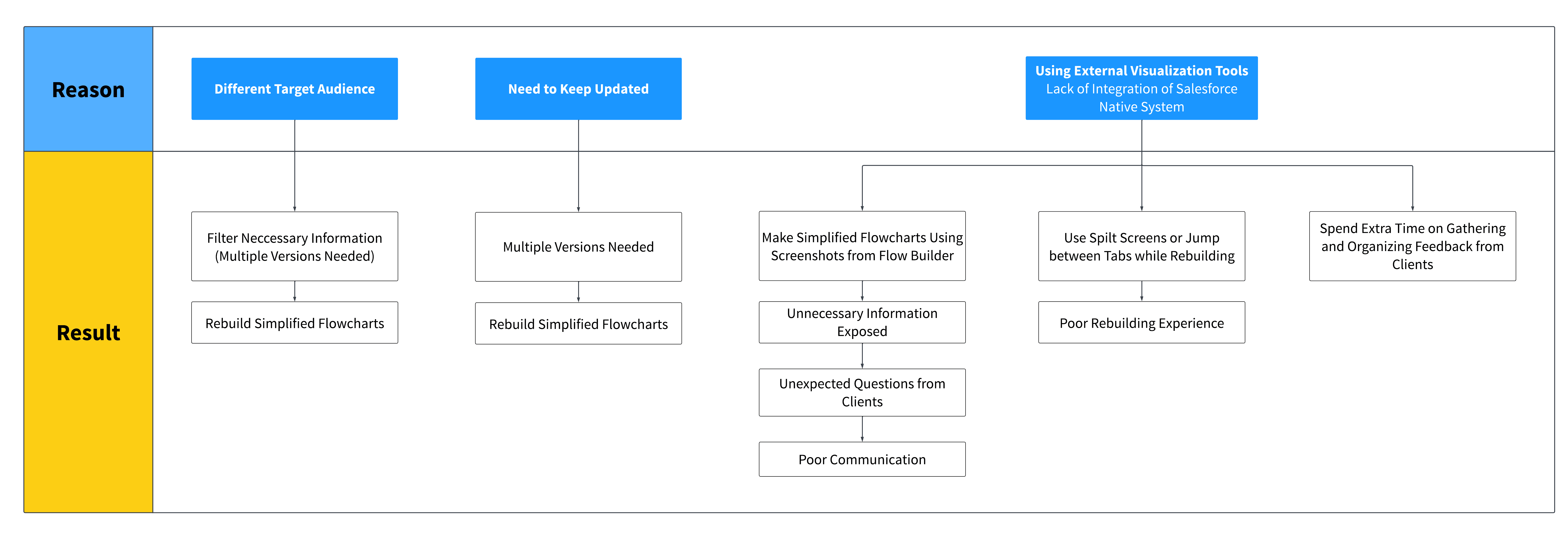
Root reasons with corresponding issues
Different Target Audience of Simplified Version Flowcharts
Filter Information — Client Facing vs. Admin Facing
Clients want to see the "process steps" and "structure" of automation flows, and Admins need to see technical details such as variable, API, elements, and so on.
Simplified Version Flowcharts Need to Keep Updating
Admins Make Simplified Flowcharts as the Project Goes
It could happen during discovery phase, building phase, or even after the automation flow is completed due to follow up changes. Accordingly, documentation has to be updated as well.
Lack of Integration to Native Salesforce System
Spend Extra Time for Rebuilding
Admins might have to rebuild simplified version flowcharts from scratch every feedback loop, and it takes longer when it comes to more complex automation flows.
Spend Extra Time Gathering and Organizing Feedback
When implementing feedback from simplified version flowcharts back to flow files in Flow Builder, admins have to gather feedback from place to place and organize feedback.
Poor Rebuilding Experience
During rebuilding, admins have to jump between screens or tabs, which leads to a bad user experience.
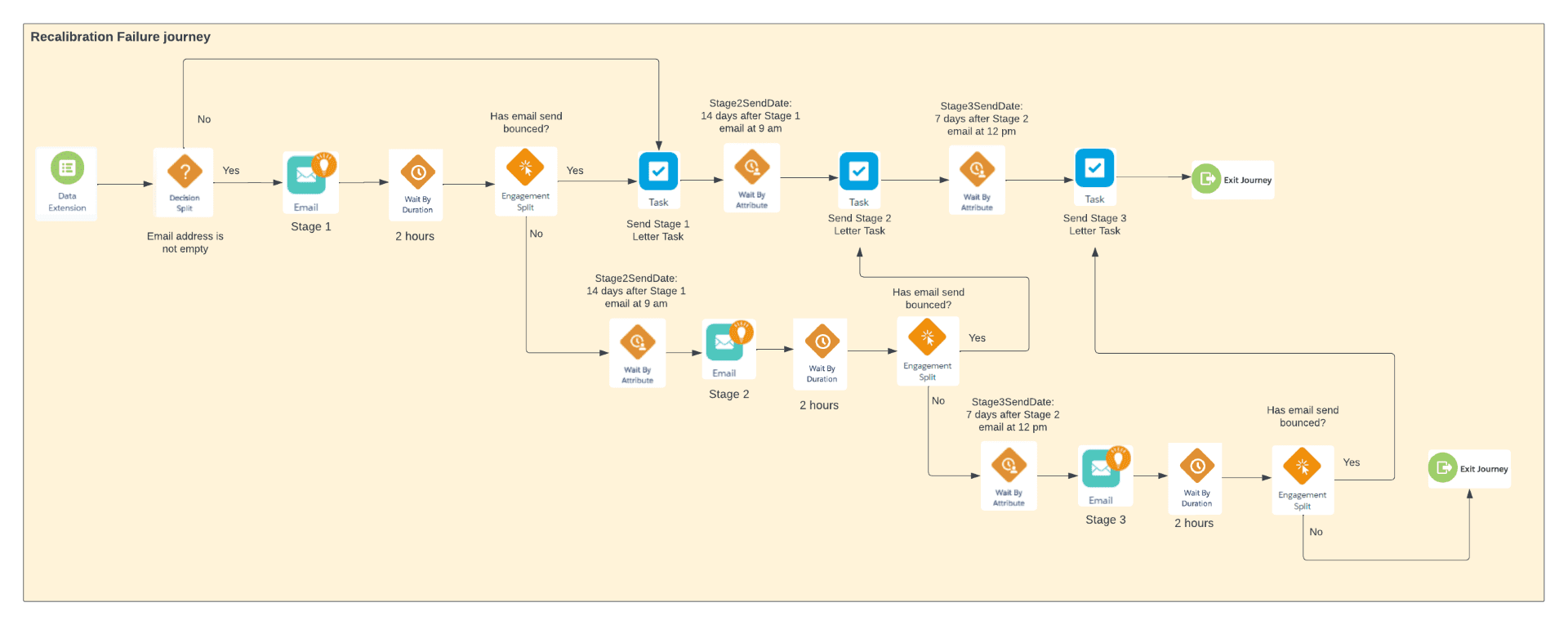
Unnecessary Information Shown
Some admins use screenshots of actual flow files to create simplified version flowcharts(see figure above). However, these may include unnecessary information, potentially raising unexpected questions from clients.
New Collaboration Experience
What Will Happen after One Click?
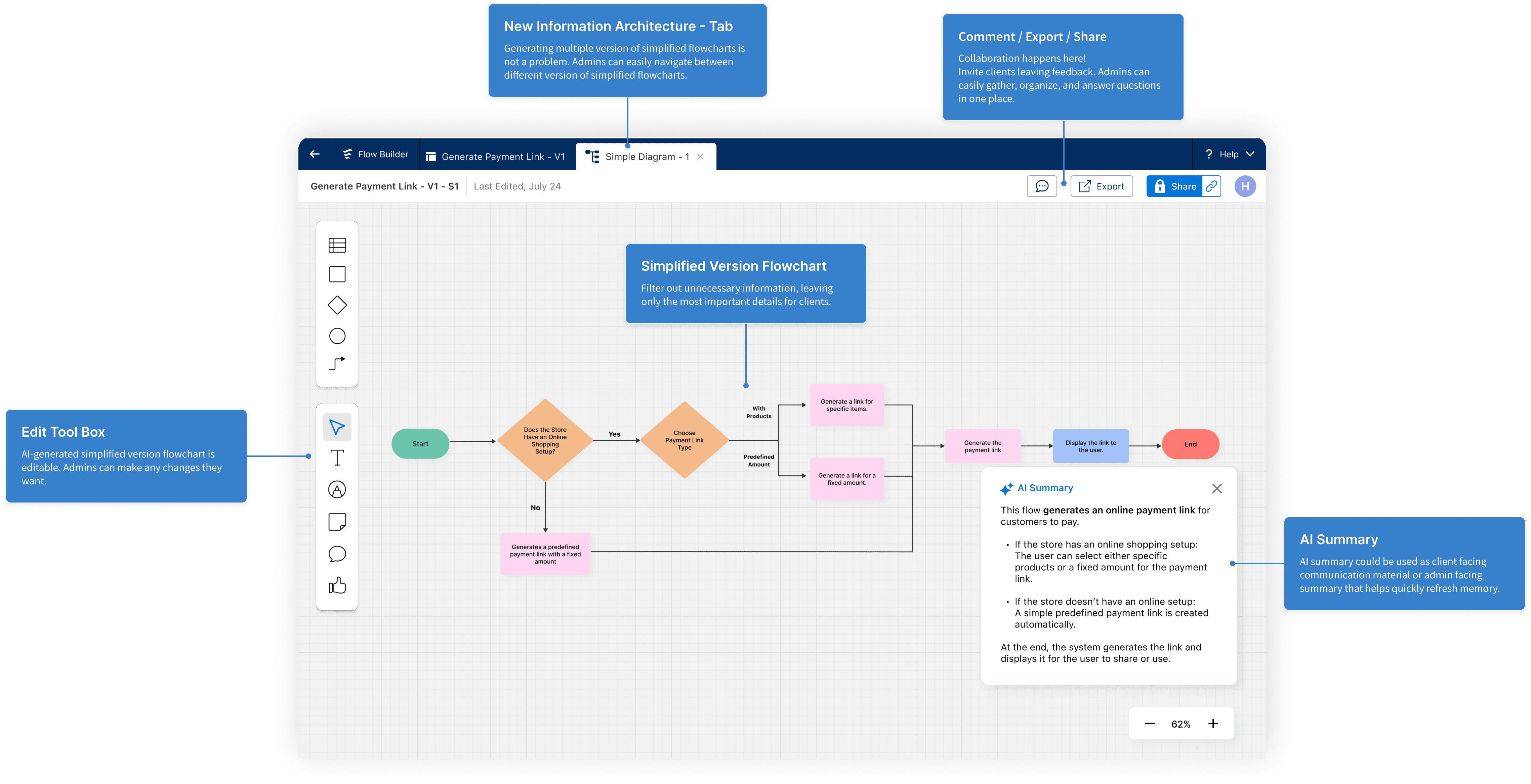
What is Included?
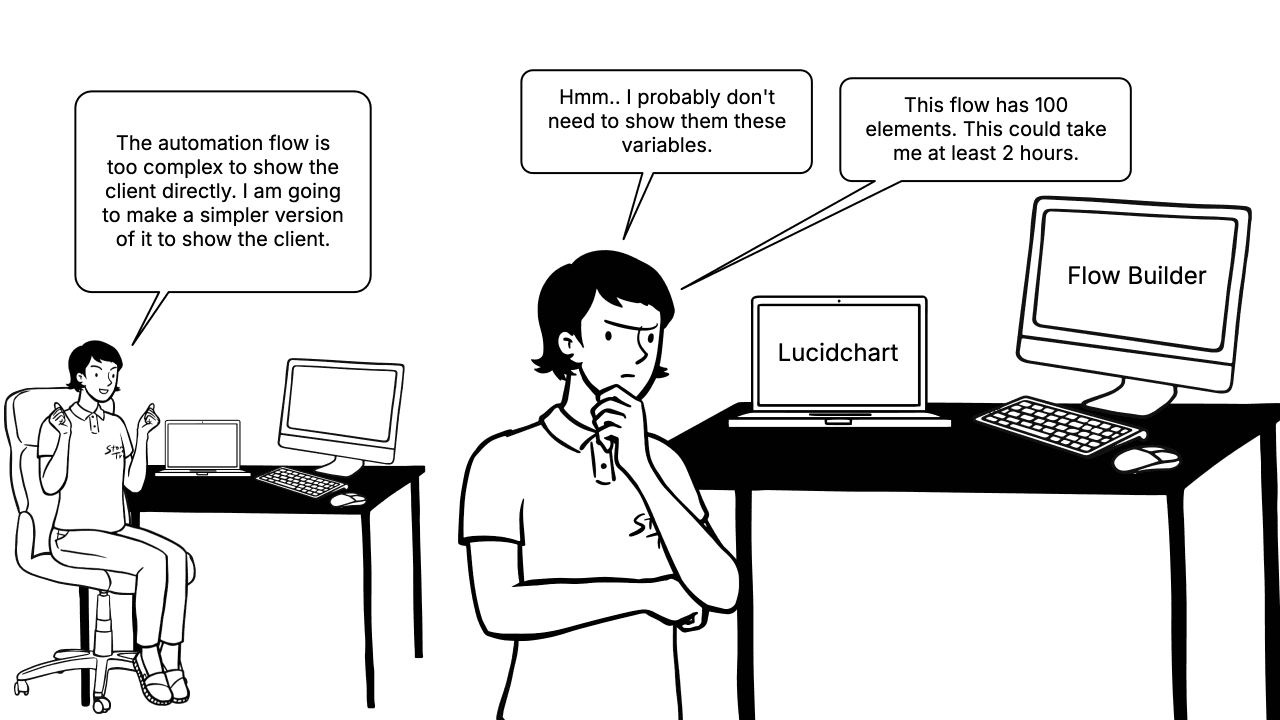
The Story Before
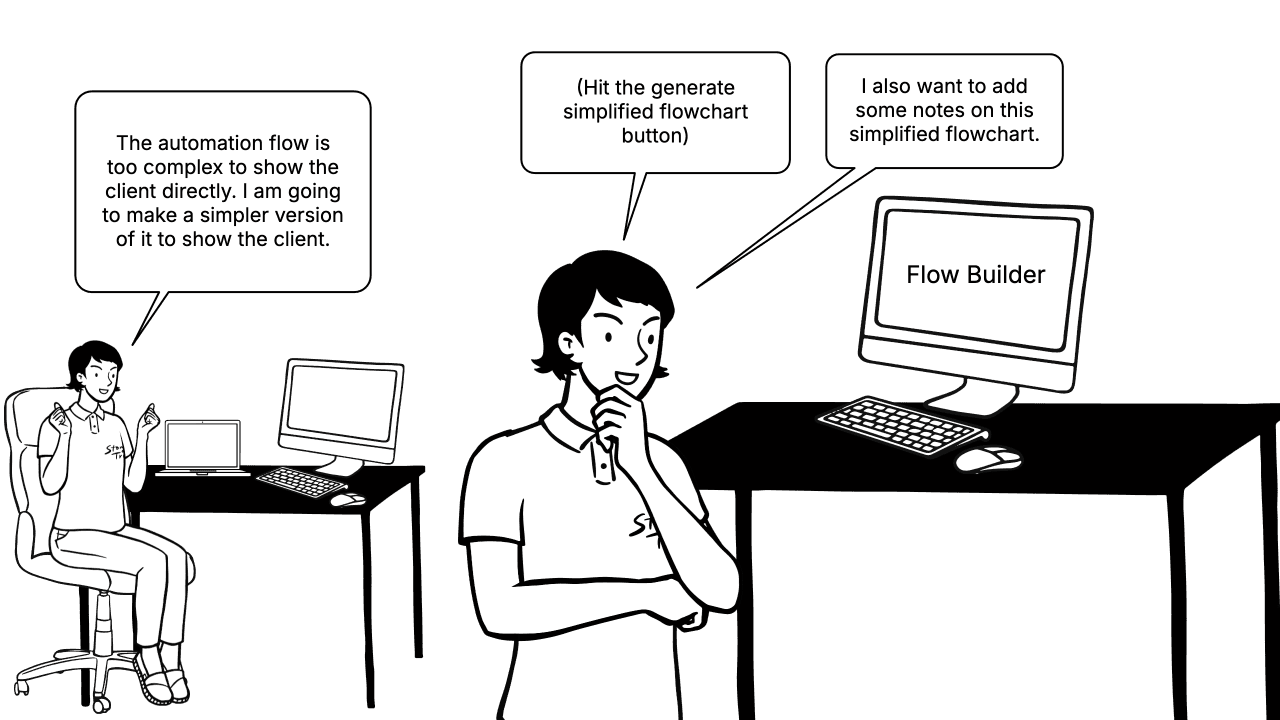
The Story After

What is Even Better?
Proof of Concept
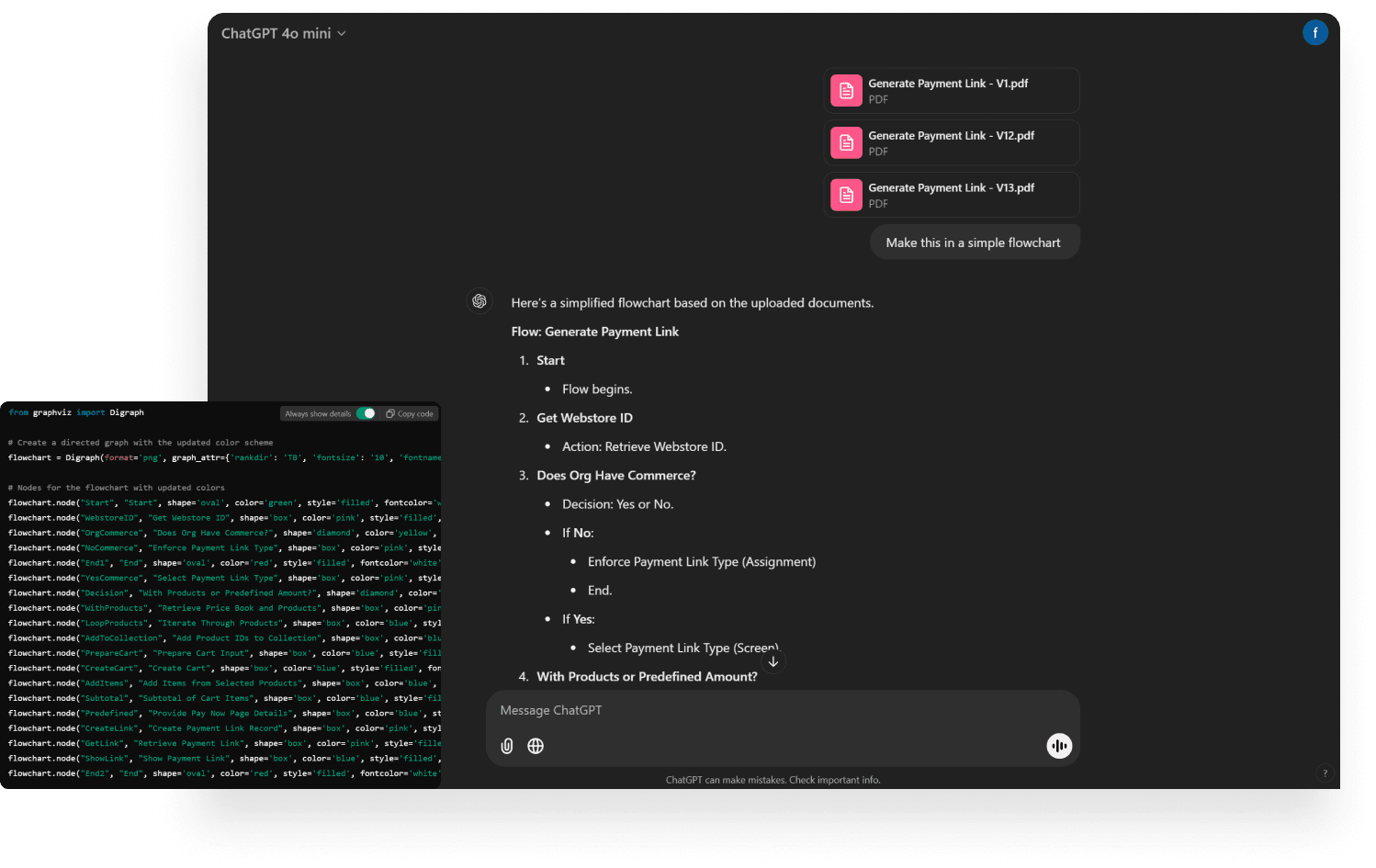
ChatGPT Can Do This
The Prompt
We put a PDF file that contains a screenshot of an automation flow from Flow Builder into ChatGPT, asking AI assistant to make it a simpler flowchart.
The Result
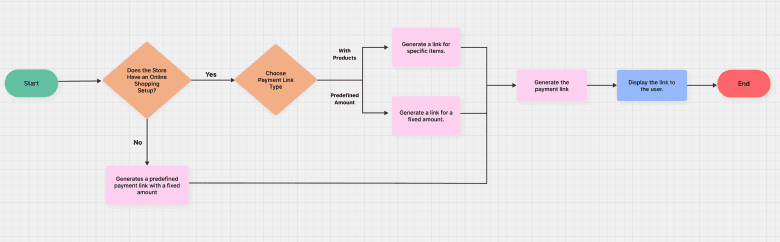
ChatGPT generated a simplified flowchart image that is constructed by Python with Graphviz Package.
Possibility of Integrating this into Flow Builder
XML to Static Image
The underlying structure of the automation flow in Flow Builder is XML. It is possible to use Python filter the nodes and transform them into a new flowchart static image with Graphviz.
XML to Editable Flowchart
To make a simplified flowchart to be editable, like Figjam, the possible way to achieve this is transforming XML to XML using Python, and visualize XML to front-end elements using JavaScript visualize framework.
Stretch Goals
That We Should Keep Working on
Filter Options
When Facing Different Target Audience
The current "Generate Simplified Flowchart" function does not include more detail filter options such as filters that address with the situation when facing clients who have different level domain expertise and admin-oriented filter that aims specifically for documentation or future handoff.
How Can We Achieve?
To develop a filter option, we need a clearer understanding of user profiles. Admins work on diverse topics, and each topic may involve clients with varying levels of understanding and requirements.
Additionally, research on client side and their experience is needed since collaboration goes both ways.
Admin and Admin Collaboration
When Multiple Admins are Working Synchronously
Among the 6 interviewees, although only 1 participant mentioned the experience of working on the flow file in Flow Builder 'at the same time' with another co-admin, this result indicates the need to consider collaboration between admins
How Can We Achieve?
In addition to the need for more samples, we must explore the collaboration patterns that exist between admins and understand why they need to collaborate in this way.